Early Release

OTTY

Keep terminal work together_

OTTY is a terminal-first workspace for development and operations across local and remote machines.

[ Linux ][ macOS ]

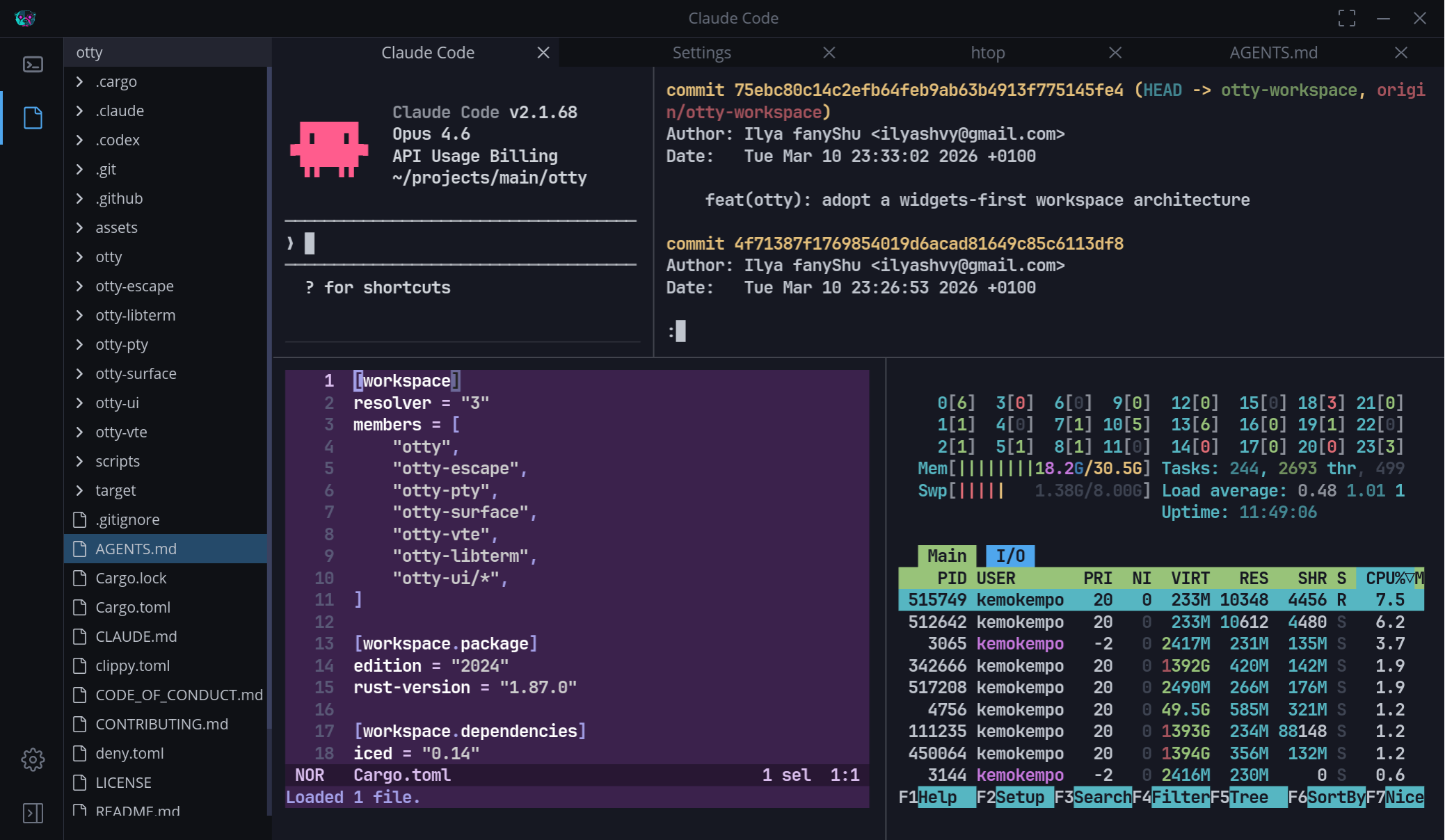
OTTY workspace with Explorer beside four terminal panes showing Claude Code, Git history, Cargo configuration, and htop.

current_capabilities

01

Shape your terminal workspace

Arrange tabs and splits so parallel sessions stay visible without becoming one long stream.
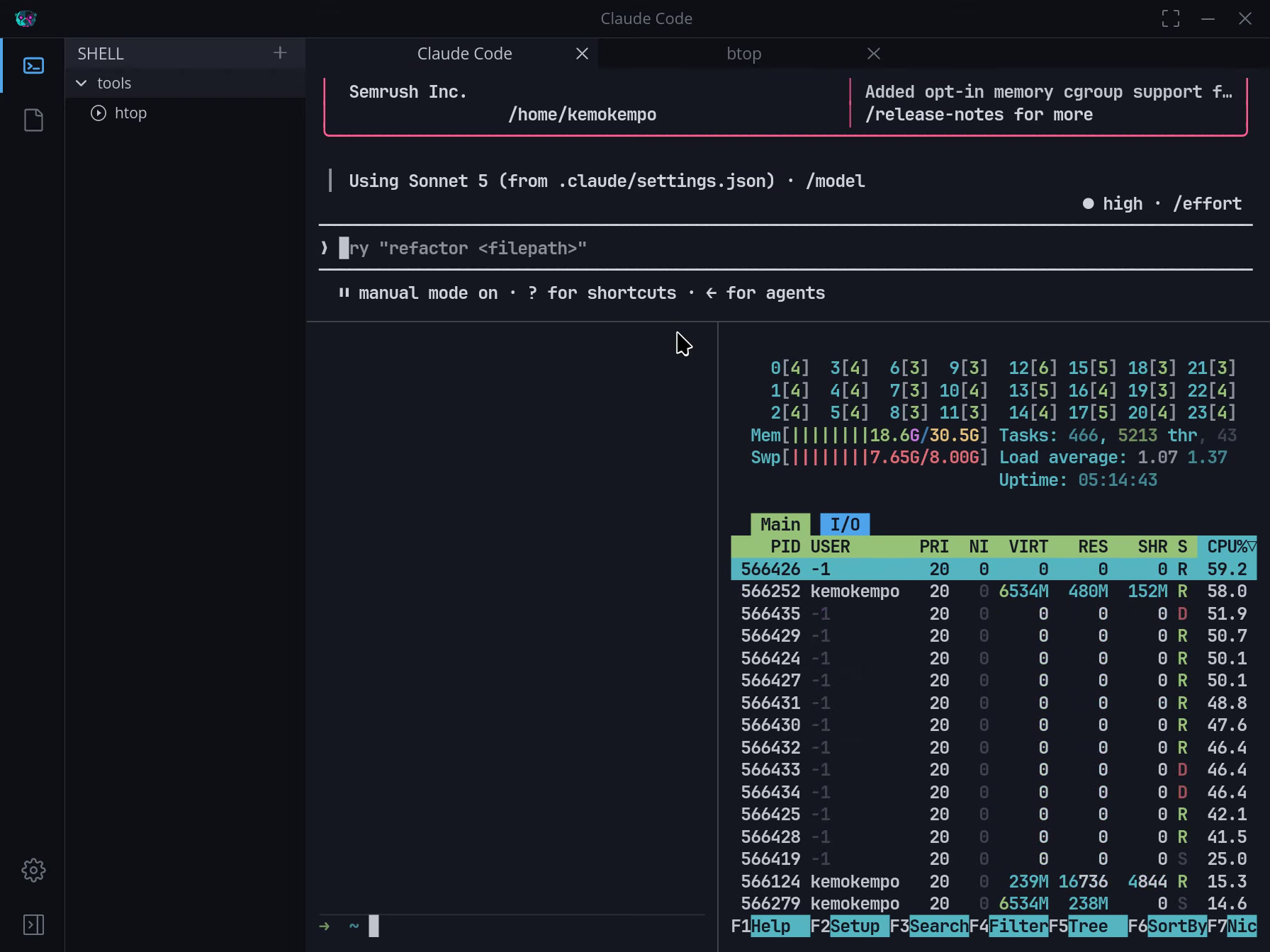
OTTY workspace with Claude Code and htop tabs above three split terminal panes.
A terminal tab is opened, the workspace is divided into multiple panes, and separate Claude Code and htop sessions are started for parallel work.
02

Work with command blocks

Treat commands and output as semantic units you can identify, select, and reuse.
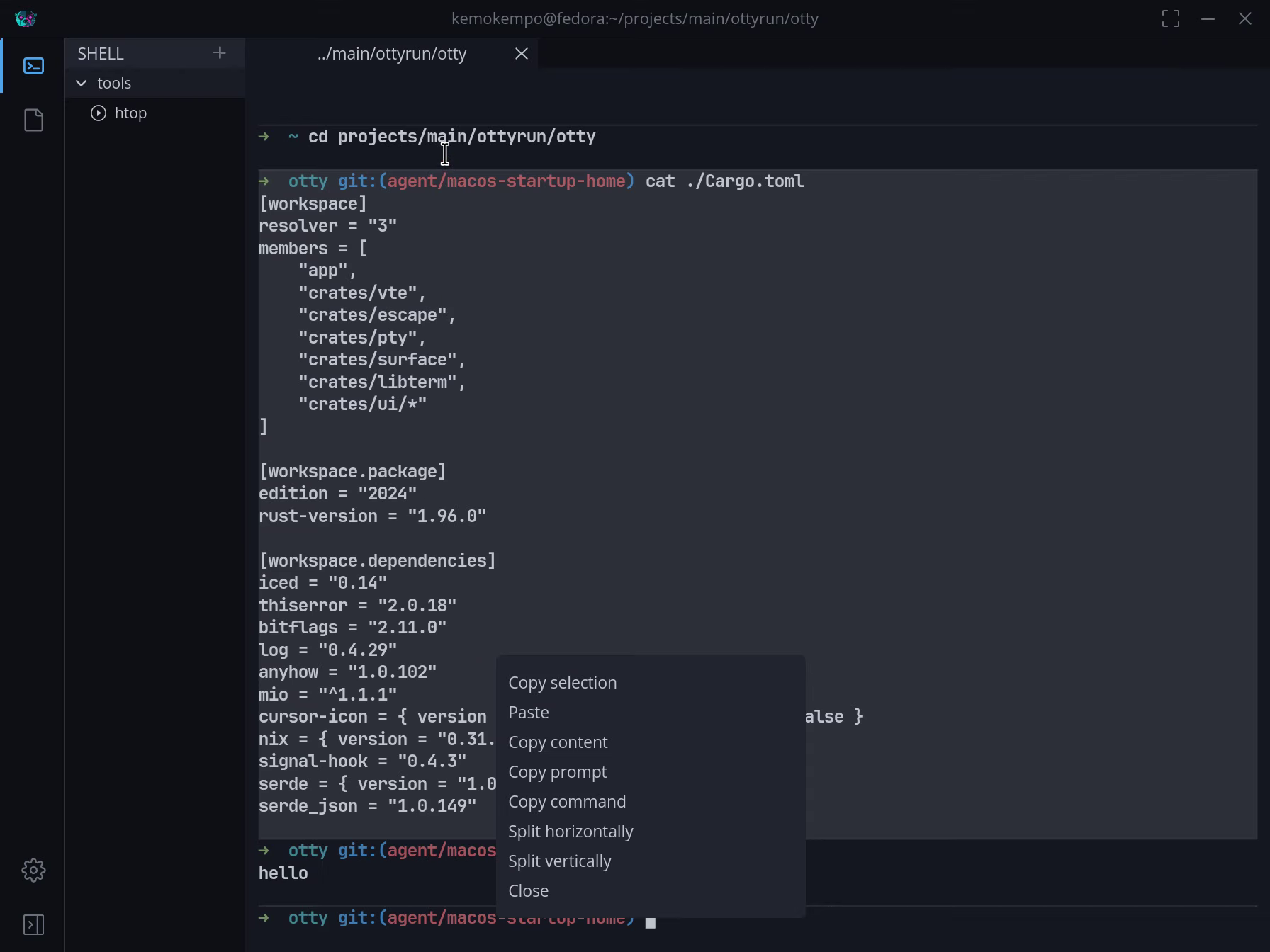
OTTY terminal with Cargo configuration output grouped into a command block and its action menu open.
A Cargo configuration file is printed, the resulting command block menu is opened, and a command is copied and reused at the prompt.
03

Keep project files in reach

Keep Explorer beside the shell and aligned with the focused session's current directory.
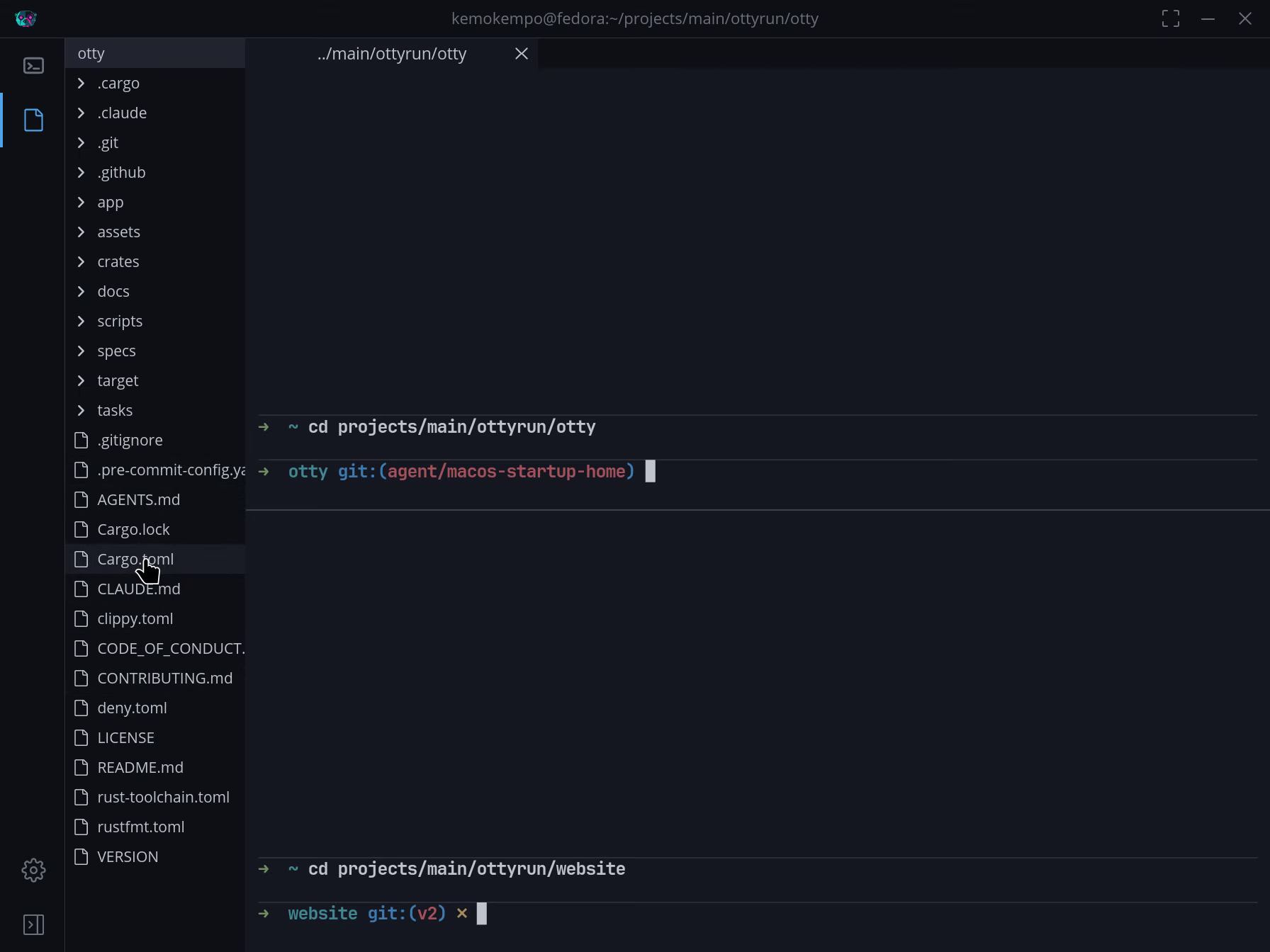
OTTY Explorer listing the project files beside three split terminal sessions, including a session in the website directory.
The terminal is split into multiple panes, Explorer is opened, and one session changes directory so the file tree follows its project context.
04

Launch commands and connections

Start saved commands and open interactive SSH Client sessions without rebuilding the same context each time.
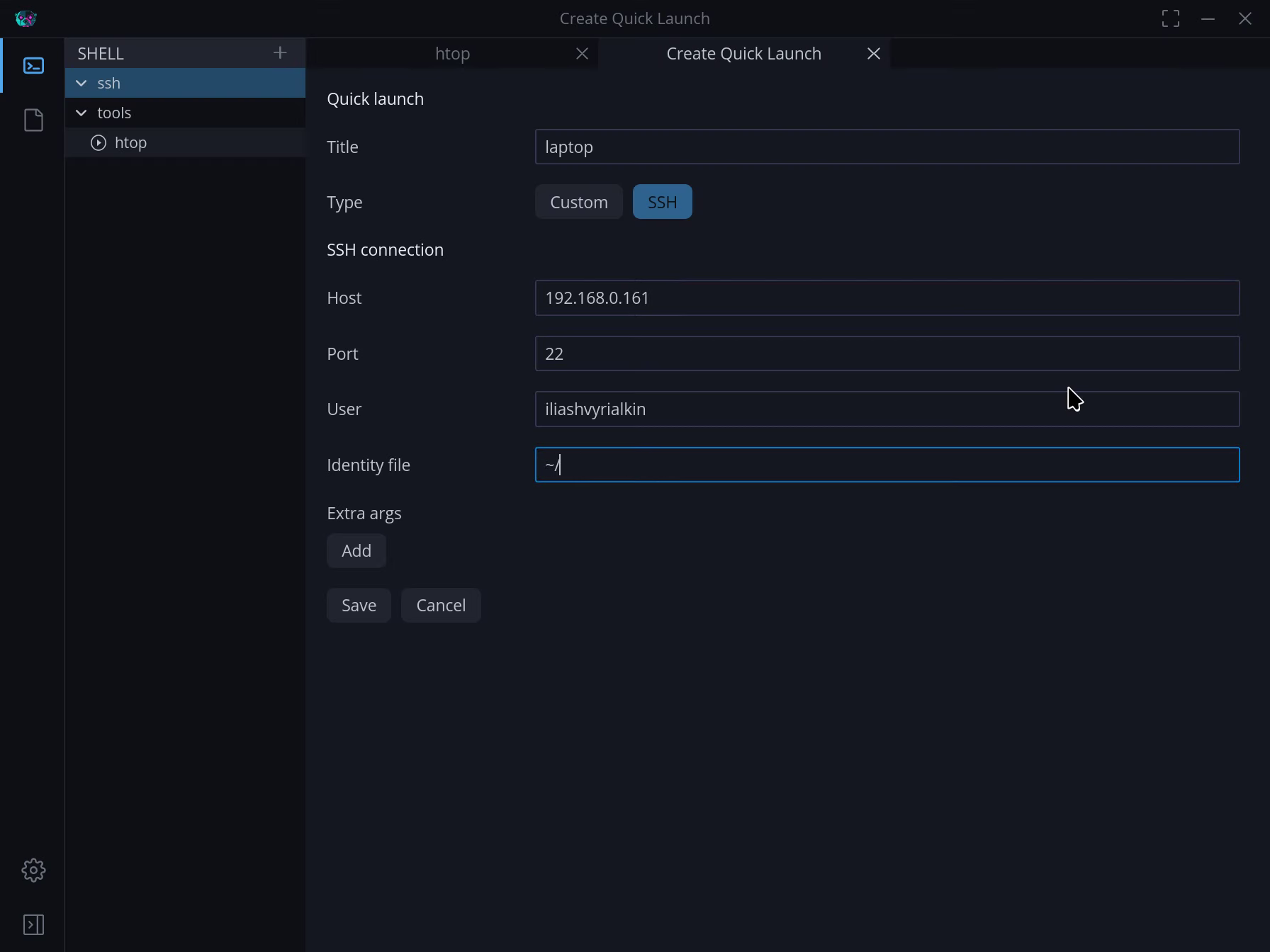
OTTY Quick Launch editor configuring an SSH connection named laptop while saved SSH and htop entries remain visible.
A saved SSH connection is created in Quick Launch and then opened as an interactive remote Ubuntu shell session.